October 20, 2026 · Event Planners
One-Click RSVP Email Invitations
Anyone who works in events knows the scene: the invitation goes out by email, the guest hits “reply” and writes “yes, we’ll be there, thanks!”, or opens a long form, gives up halfway and leaves it for later. Someone on your team then has to read the replies, interpret them and copy them into the spreadsheet. Multiply that by 200 guests and by every event on your calendar this month, and RSVP management turns into data entry.
RSVPito sends email invitations with one-click RSVP buttons. In this article, written for wedding planners, caterers and event venues, we explain what changes in your day-to-day when guests answer with one tap and the reply goes straight into the guest list.
What a one-click RSVP email is
It’s an invitation email with three buttons right under the text: Going, Not going and Maybe. The guest taps one and lands on the event’s guest page, where the answer is waiting to be confirmed, along with the plus-ones and any questions you set up. No app to download, no account to create, no password to remember. On your side, the reply shows up in the event’s guest count immediately.
Why buttons work better than “reply to this email”
- The answer arrives already sorted. There’s no “I think I can make it” to interpret: it’s Going, Not going or Maybe.
- Saying no gets easy. People who aren’t coming tend not to answer at all, and that’s exactly the information the caterer needs to lock the headcount. With a button, saying no costs one tap.
- “Maybe” becomes information. Instead of one more pending guest, you know who is undecided and can remind only those people closer to the date.
- Nobody types anything into a spreadsheet. The count updates on its own, and your team works with the list instead of feeding it.
- No login wall. Every extra step (creating an account, filling in a long form before the answer) is a reason to leave the RSVP for later. One tap removes that friction.
The guest page behind the button
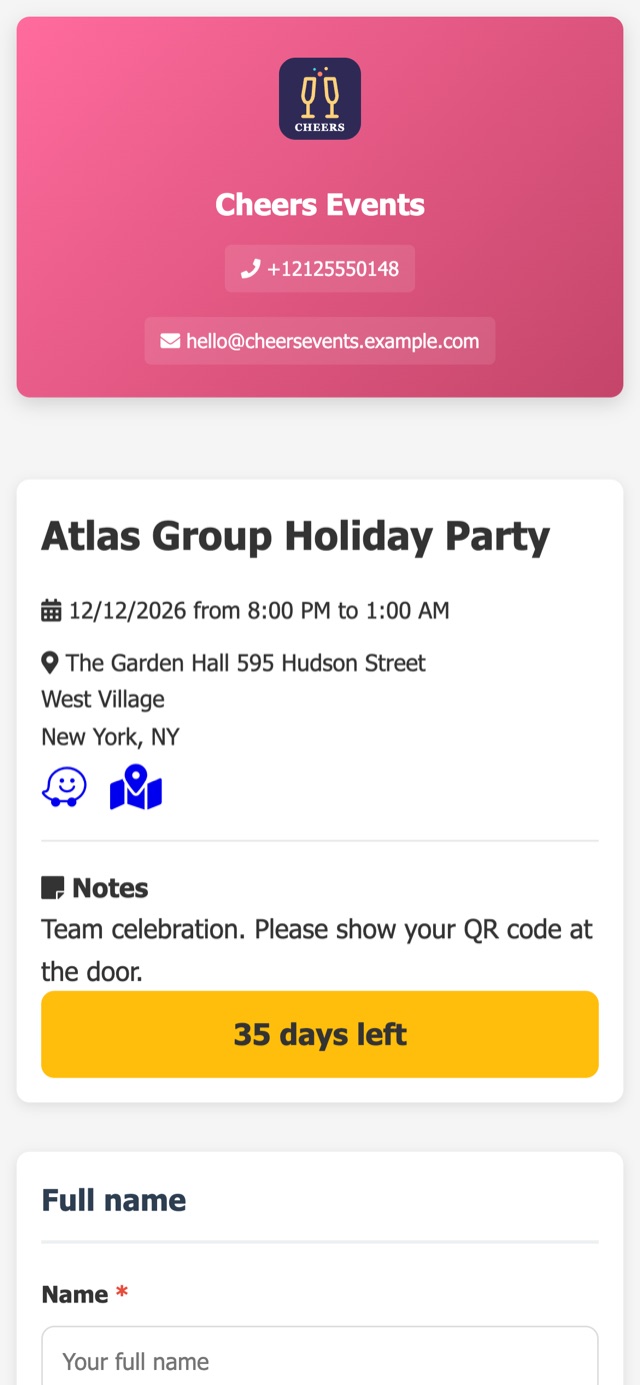
The button doesn’t send guests to a generic form. It opens the event’s guest page, with your company’s logo and colors: event details, directions with a maps link, a countdown and, once the guest confirms, their QR code for entry and, when seating is set, their table number. We explain what guests see there, and why your brand matters, in branded RSVP pages.
The same page link also works outside the email: on a printed invitation as a QR code, on the couple’s wedding website or in a text your client sends to family. Every path ends in the same guest list. Guests abroad who live on WhatsApp? You can send them the invitation there too, as an extra channel (see RSVP via WhatsApp for international guests).
Preview, audience and timing: your company stays in control
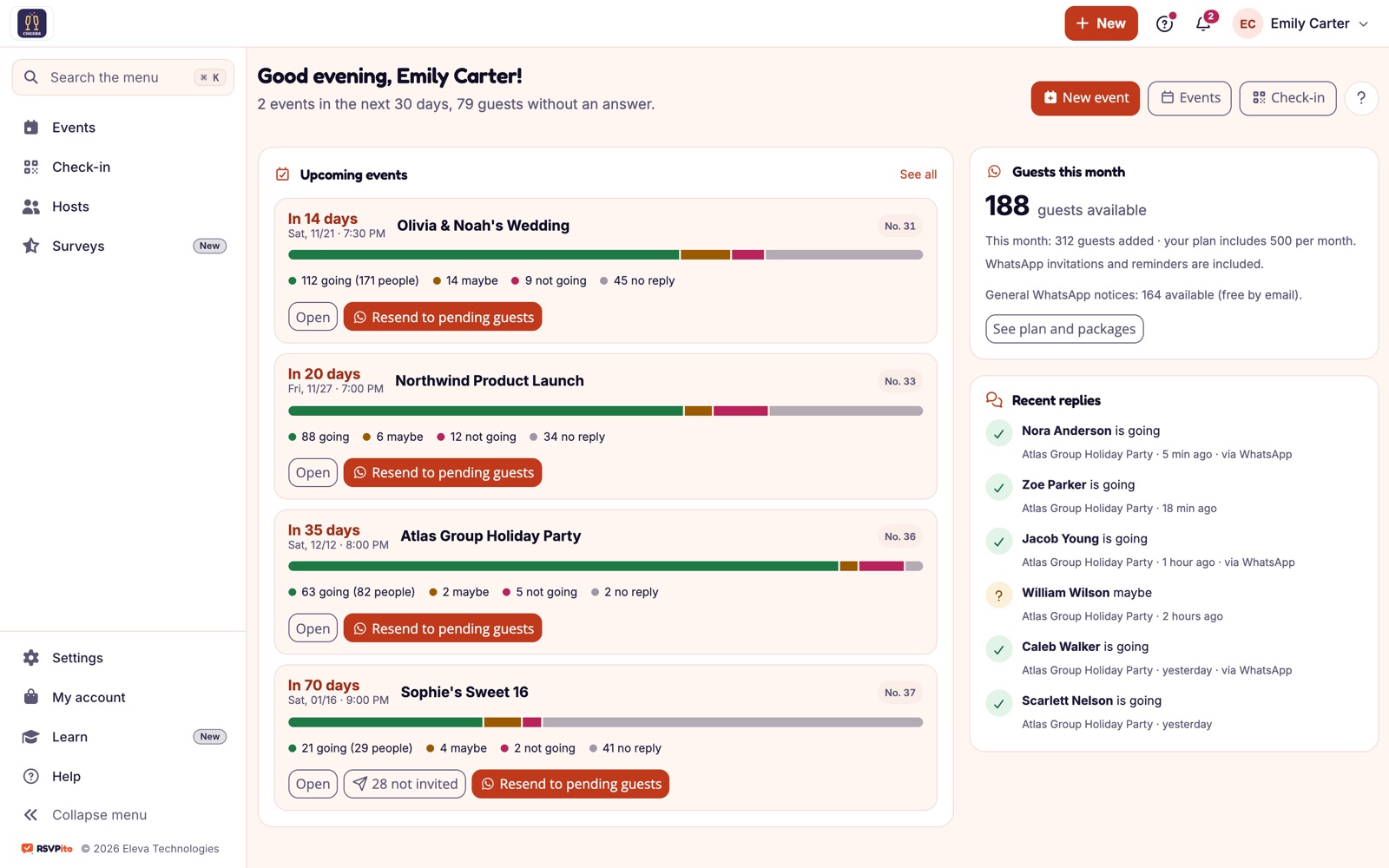
Before sending, the new message screen shows a preview with the name of a real guest from the list. You choose who gets it (everyone, only pending guests, only confirmed guests, a group such as “Bride’s family”, or hand-picked guests) and when: now or scheduled.
Besides the invitation, the same screen sends the resend to pending guests, the “coming up soon” and “get ready” reminders, free-text announcements (“parking is on the back street”), the notice of a change of date, venue or time, and the thank-you after the event.
Replies land in the guest count on their own
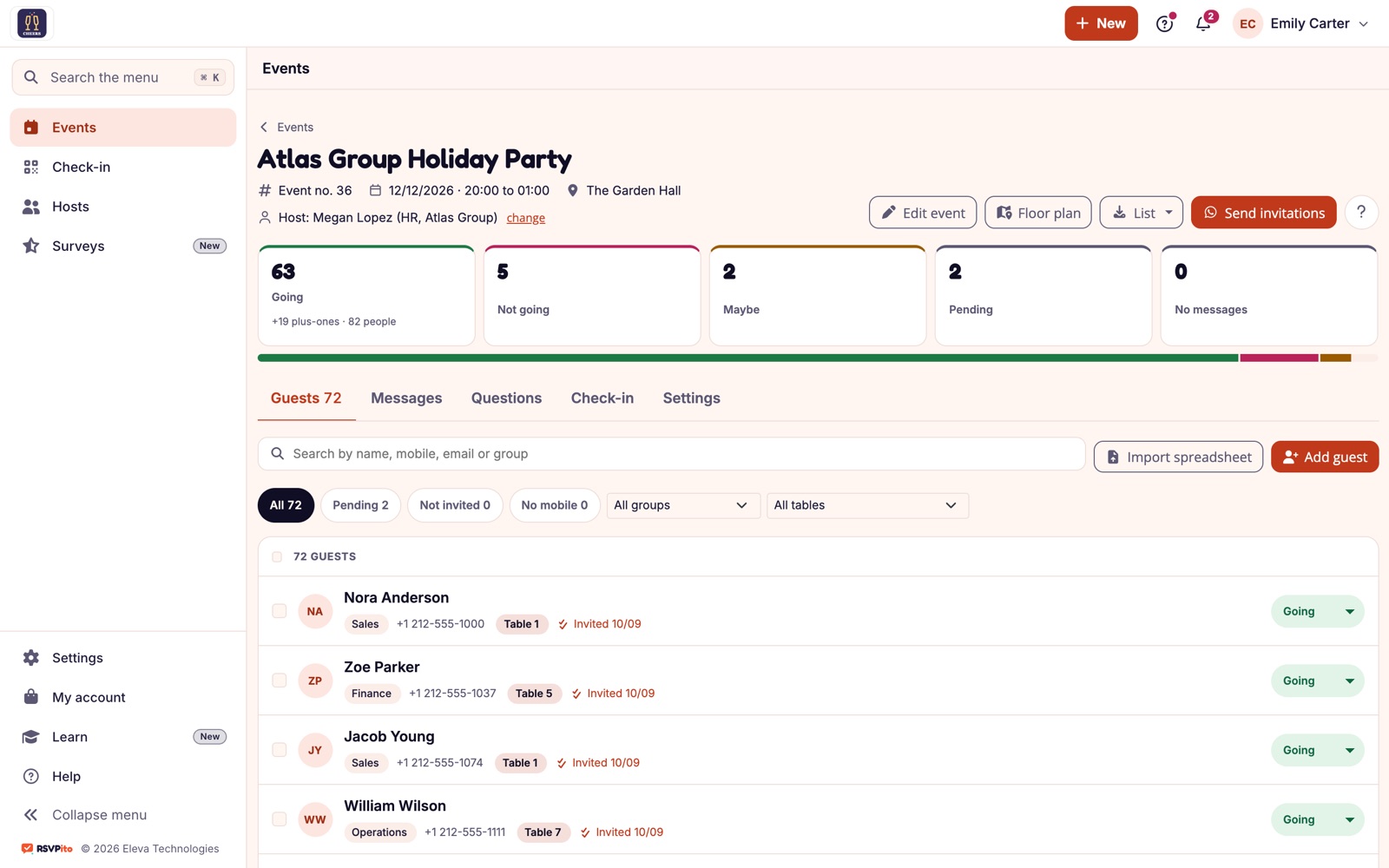
Every tap updates the event’s count: Going (with the total number of people, plus-ones included), Not going, Maybe, Pending and Not yet messaged. List filters show right away who hasn’t answered, who didn’t receive the invitation and who has no email address on file. If you already set how many guests each person can bring with a plus-one limit per guest, the number that reaches the caterer is already right.
Resend without thinking twice
When every resend has a price tag, organizers hesitate to send the reminder, and guests forget. With RSVPito, the invitation, resends and reminders are included in the plan, and email is always free. So the automatic reminder schedule can follow up with pending guests as many times as the event needs. We also explain how RSVP software pricing works.
Tips for an RSVP email that gets answered
- Put the event and the date in the subject line. Guests should know what the email is about before they open it.
- Keep the email short. The buttons do the work; the details (schedule, dress code, directions) live on the guest page.
- State the RSVP deadline. A clear date turns “I’ll answer later” into “I’ll answer by Friday”. See how to set the RSVP deadline for each event.
- Plan the follow-ups before you send. Decide when pending guests get a reminder, so nobody on the team has to remember.
Respect for guests and their data
Reminders, announcements and change notices include a “Stop messages” option: the guest taps it and the system stops sending right away. When adding or importing guests, your company confirms it has their consent, and the system records when and where that happened. These safeguards protect the guest and also your company’s reputation.
In practice, for companies running many events
For a wedding planner with several weddings collecting RSVPs at the same time, or a caterer who needs the final headcount for every party this week, the gain is not handling replies one by one. The invitation goes out once, the replies organize the list on their own, and your team acts only where it’s needed: on pending guests and on the maybes.
Read more: why guests don’t RSVP and how to raise response rates and how to create an RSVP link for each client event.
Talk to us and see one-click RSVP email invitations working on the events your company runs.