November 3, 2026 · Venues & Caterers
Digital Invitations Branded with Your Venue
Every event a venue, caterer or wedding planner runs passes through the phones and inboxes of dozens or hundreds of guests. Most of the time, the only name on that screen is the host’s: the company that made the event happen is nowhere to be seen.
In RSVPito, each event has its own guest page, a kind of event website where guests RSVP. And that page carries your company’s brand.
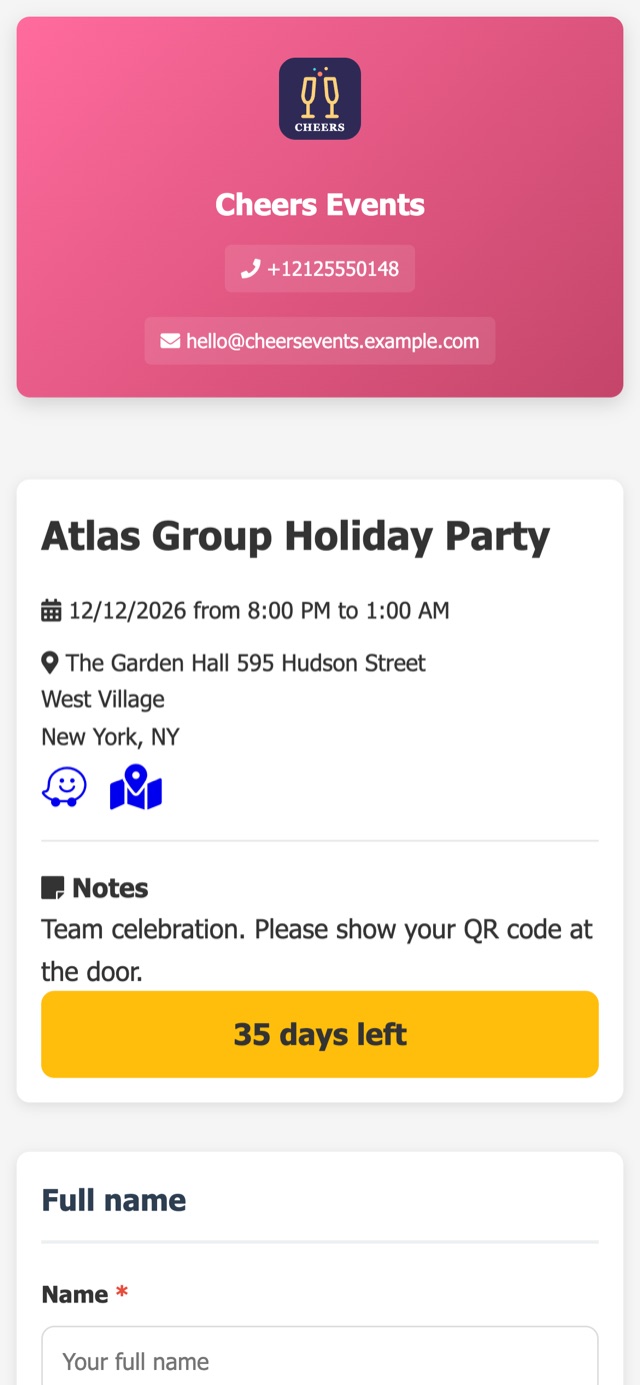
What the guest sees
- Your company’s name and logo, with a contact phone number and email.
- Date and location, with a shortcut to open directions in Waze or Google Maps.
- A countdown (“32 days to go”).
- The invitation artwork as the cover (image or PDF), notes such as dress code and parking, and a gallery with up to 8 photos.
- The RSVP form, with plus-ones and a field to leave a note for the hosts. Guests already on the list are recognized by their email or phone number and just confirm.
After confirming, the guest receives the entry QR code, the table number and a mini floor plan with their table highlighted, without showing the name of any other guest.
Seven themes and three layouts
The page has 7 visual themes, from elegant gold and pastel tones to corporate blue and modern dark, and 3 layouts: cards on a single screen, step by step, or a long page. A quinceañera and a sales conference don’t need to look the same.
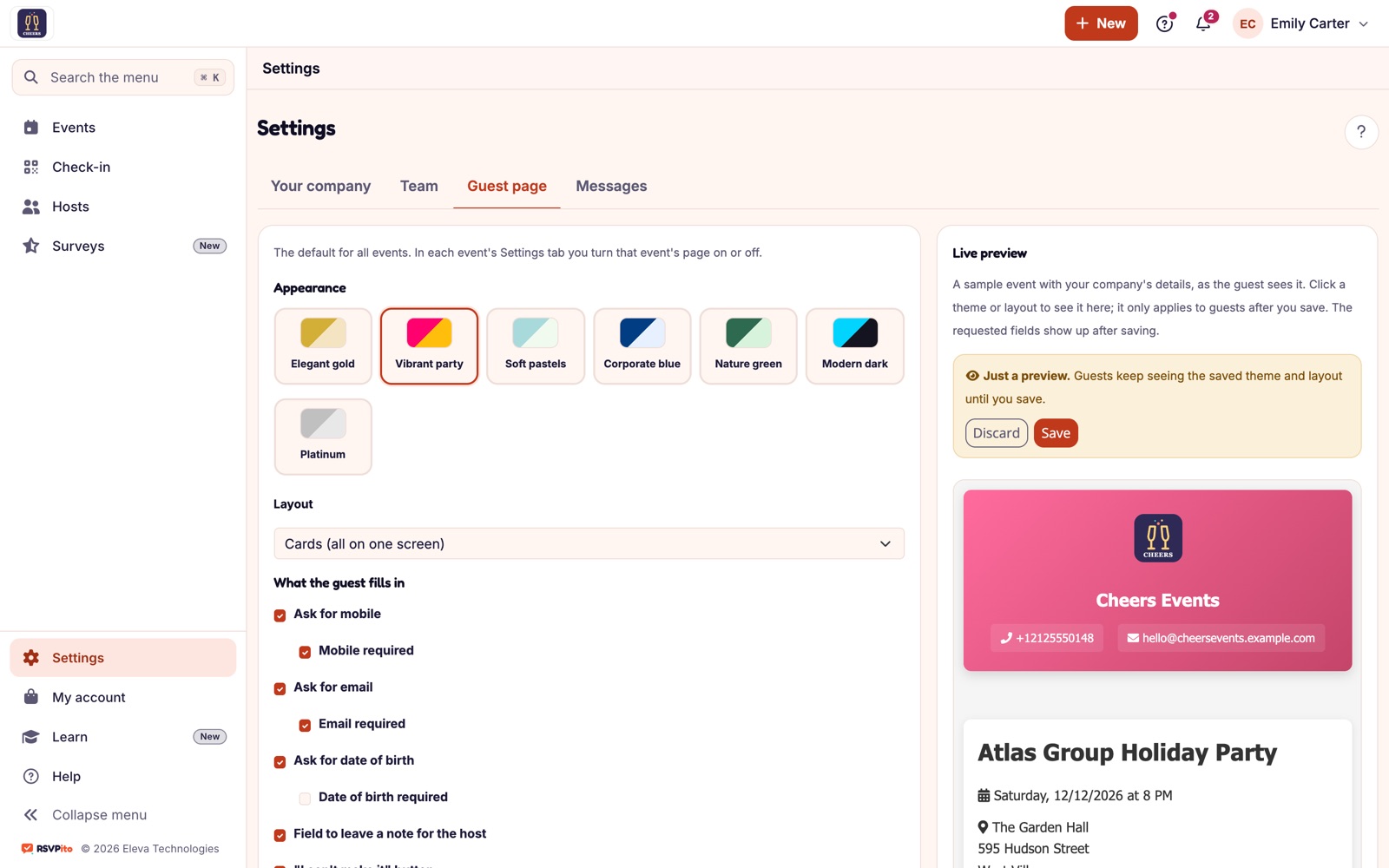
In Settings, your company chooses the theme, the layout and which details to ask for (phone, email, date of birth, each optional or required) and sees the result in a live preview before saving. That becomes the default for all events, and you can turn the page on or off for each event. To choose your fields well, see RSVP with custom fields.
Why your brand belongs on the invitation
Today’s guest is tomorrow’s client. Someone who attended a well-run party and saw the venue’s name on the invitation, the RSVP and the entry QR code knows who to call when it is their turn to book. The logo you add under “Your company” appears on the invitation, the guest page, the host page, the emails, the satisfaction survey and the PDF lists.
It is also a matter of trust: an email and a link with the name of a known company look safer than a generic form, and guests who trust the link reply.
Guest privacy
The public page never shows other guests, not even on the floor plan. Each person sees only their own details and their own table.
Email invitation and guest page, together
The email invitation and the guest page complement each other. Guests can reply Going, Not going or Maybe with one tap right from the email, and those who need to add plus-ones or extra details continue on the page. The same link can go in your client’s own messages, on the couple’s website or as a QR code printed on paper invitations, and guests abroad can also get the invitation on WhatsApp. Everything lands in the same live count. See what guests see on a branded RSVP page.
Talk to us and see how the guest page looks with your company’s brand.