October 29, 2026 · Event Management
Event Check-In Without Lines at the Door
The entrance is the first moment of the event that guests truly experience, and it’s where a lot of good planning gets lost: a line at the door, a printed list crossed out in pen, a receptionist searching for a name in the wrong order, a guest asking where their table is. For companies that run events professionally, reception is your shop window.
We’ve already shown how QR code check-in works. RSVPito also has features built for the door team: a dedicated role, each guest’s table on screen, a configurable entry form, on-the-spot registration for people who weren’t on the list, and a live room view.
A role just for reception
Your team can have three roles: Admin (everything), Operations (events, guests and messages) and Reception, which sees only check-in and nothing else in the account. That lets you give access to receptionists and temporary staff without exposing the full list, other events or billing.
Check-in by phone, by name or QR code
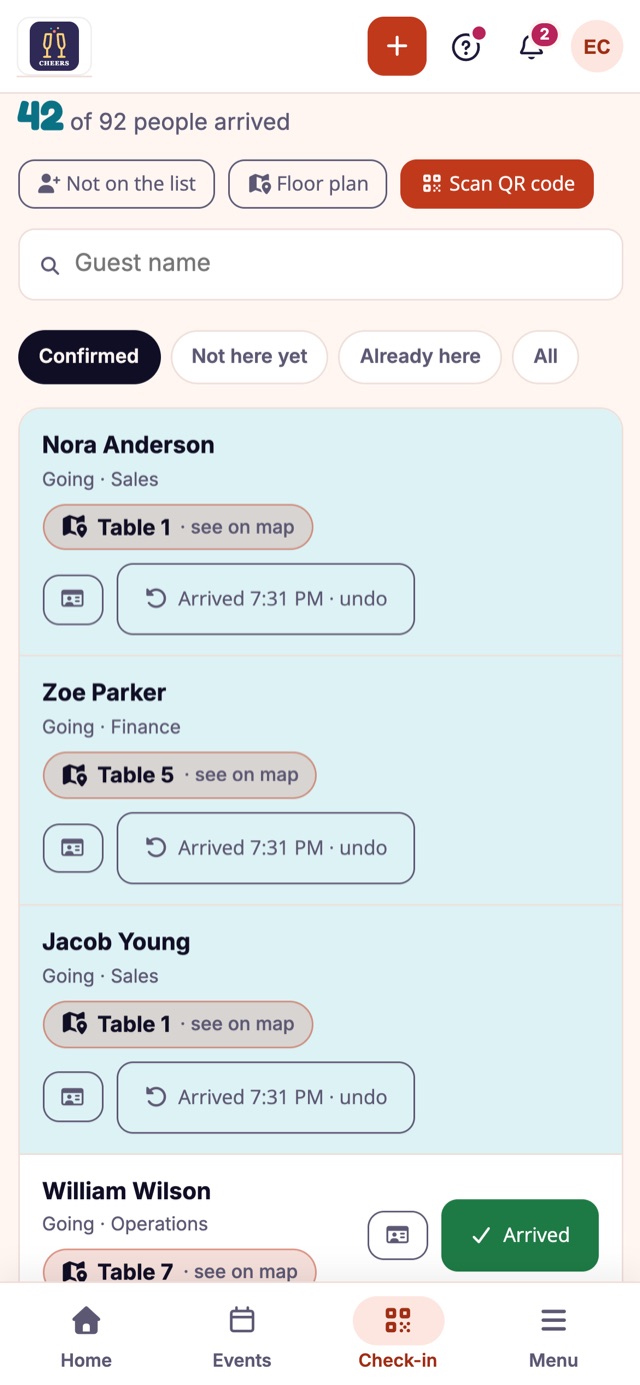
Check-in runs on your team’s own phones. The guest shows the QR code they received when they confirmed, scanned with the phone’s camera, or reception searches by name. Check-in is person by person: the guest and each plus-one, or “Everyone arrived” in one go. A live counter shows how many people have arrived (“12 of 48 people arrived”), and the “not arrived yet” and “already arrived” filters help you see who is still on the way.
Reception needs an internet connection to check guests in, so arrange staff Wi-Fi with the venue or make sure there’s mobile signal at the entrance (4G is enough).
The table on screen, the question answered at the door
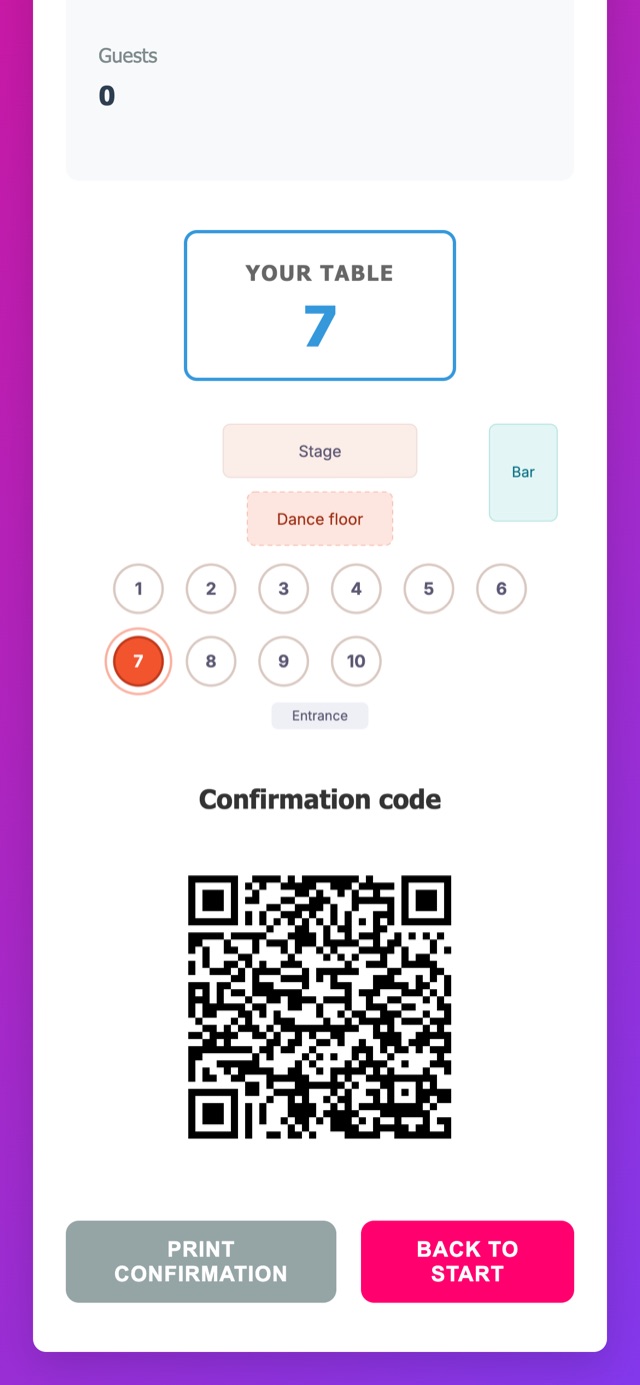
If the event has a floor plan, each guest’s table appears in the check-in list. With one tap, reception shows where that table is on the plan. Guests don’t have to hunt for their name on a list taped to the wall, and your team doesn’t have to memorize the room.
The live room view
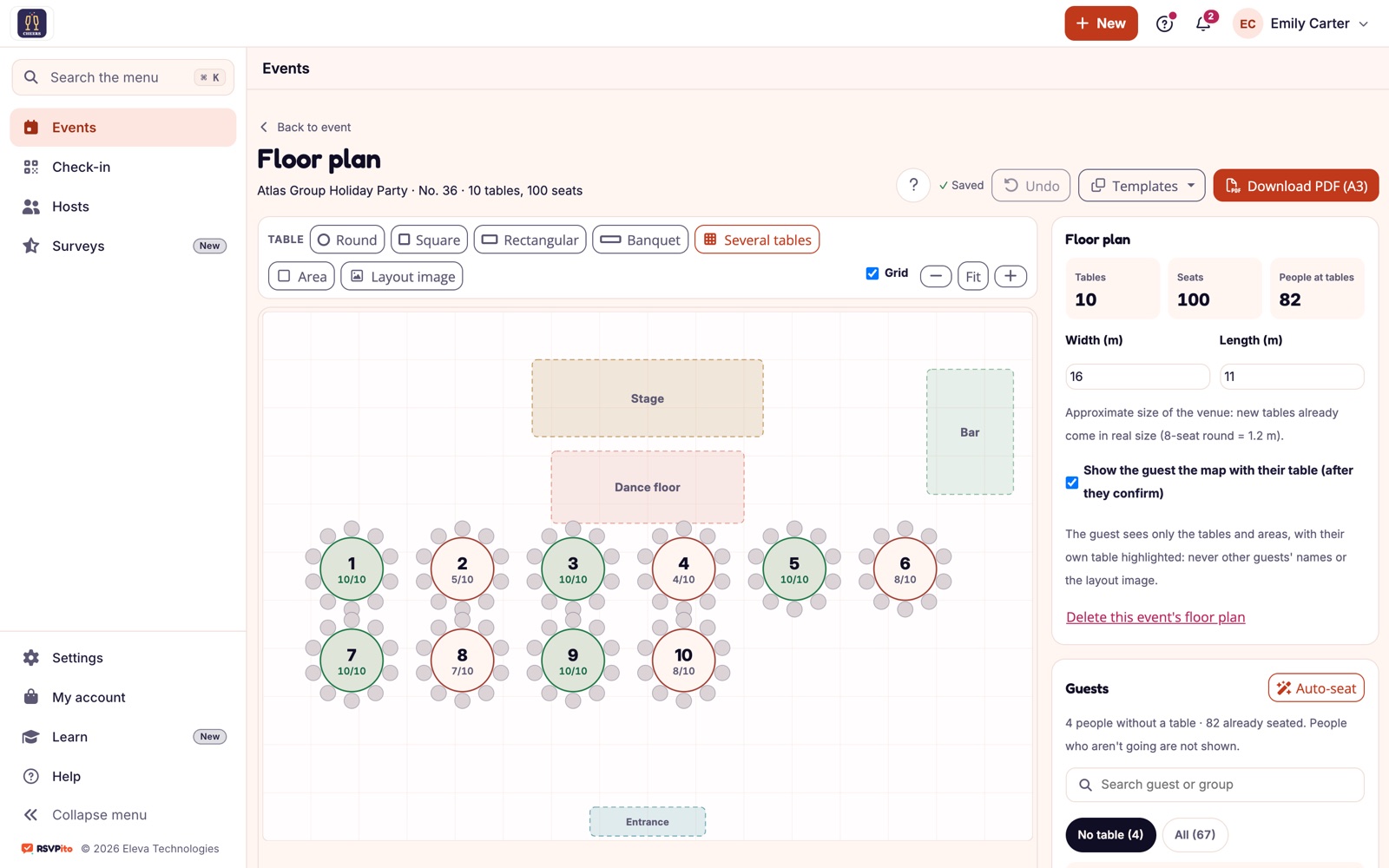
As guests come in, the floor plan shows, table by table, how many have arrived and how many are still expected, and a full table turns green. Reception, the planner and the catering captain all look at the same screen, on a phone or a computer.
Entry form: only what the event requires
Some events need information at the door: an ID at a corporate event, a wristband at a party with a restricted area, the table number. In the entry form, the organizer chooses, field by field, what reception asks for (not asked, optional or required): mobile, email, date of birth, ID document, table or wristband, notes and permission to receive messages.
The form opens already filled in and highlights what’s missing. Reception can correct a detail without seeing the original: the phone number appears masked, showing only the last digits. And with no fields marked, check-in is still a single tap.
Walk-ins, registered on the spot
There’s always someone who isn’t on the list, or a plus-one nobody expected. If the organizer allows it, reception uses “Not on the list” and registers the person on the spot, already marked as present; an unexpected plus-one is added with the reason recorded. The organizer gets a grouped notice (“Reception added 3 people not on the list”) and the list flags who “Entered without an invitation”. Instead of a note on paper nobody checks later, the information goes into the event and helps settle the count with the client and the caterer. To avoid the surprise from the start, use the plus-one limit per guest.
Checklist for a check-in without lines
- Final list closed and tables assigned before the day.
- QR code sent to confirmed guests (it appears on their guest page as soon as they tap “Going”, with the table, and goes out again in the day-of “get ready” reminder by email).
- Door team set up with the Reception role and the event open on their phones.
- Connection tested at the entrance.
- Agreement with the client on what to do with people who aren’t on the list.
For corporate events, see also how to avoid lines at registration.
Talk to us and see how your company’s reception can run with no line at the door.