
Features
Everything You Need to Manage RSVPs
From the invitation to after the event, RSVPito covers RSVPs, reminders, seating, reception and the satisfaction survey for every event your company organizes.
RSVP by Email and a Branded Guest Page
Send the invitation by email, share the guest page link any way you like, or print its QR code on the invitation. Guests abroad? Add WhatsApp too.
One-Tap RSVP by Email
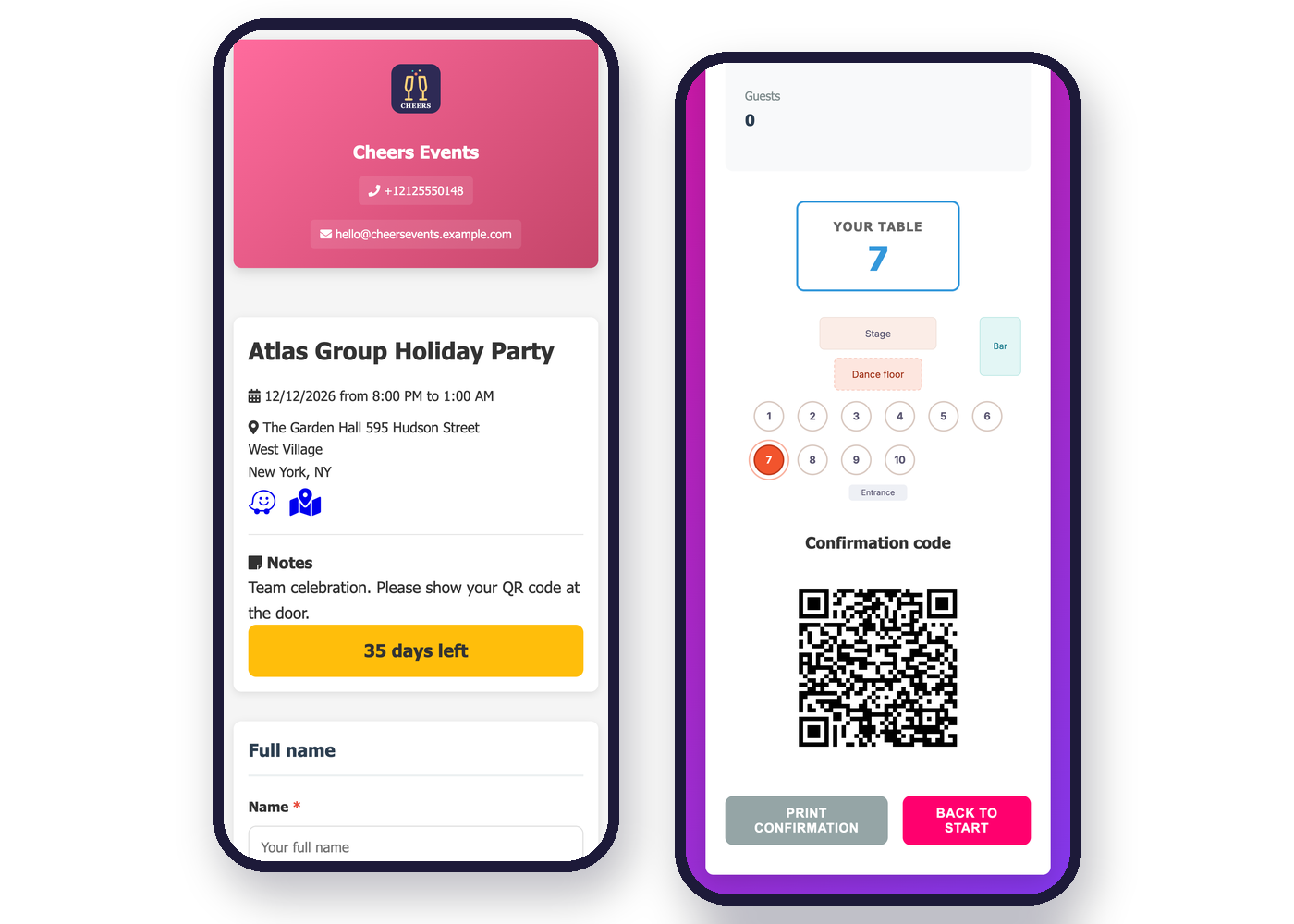
Guest Page With Your Brand
All of This Is Already Included
Email Invitation With One-Tap RSVP
Live Guest Count
All Your Events in One Account
Team With Access Profiles
Guest List Import and Export
Questions for Guests
Automatic Reminders
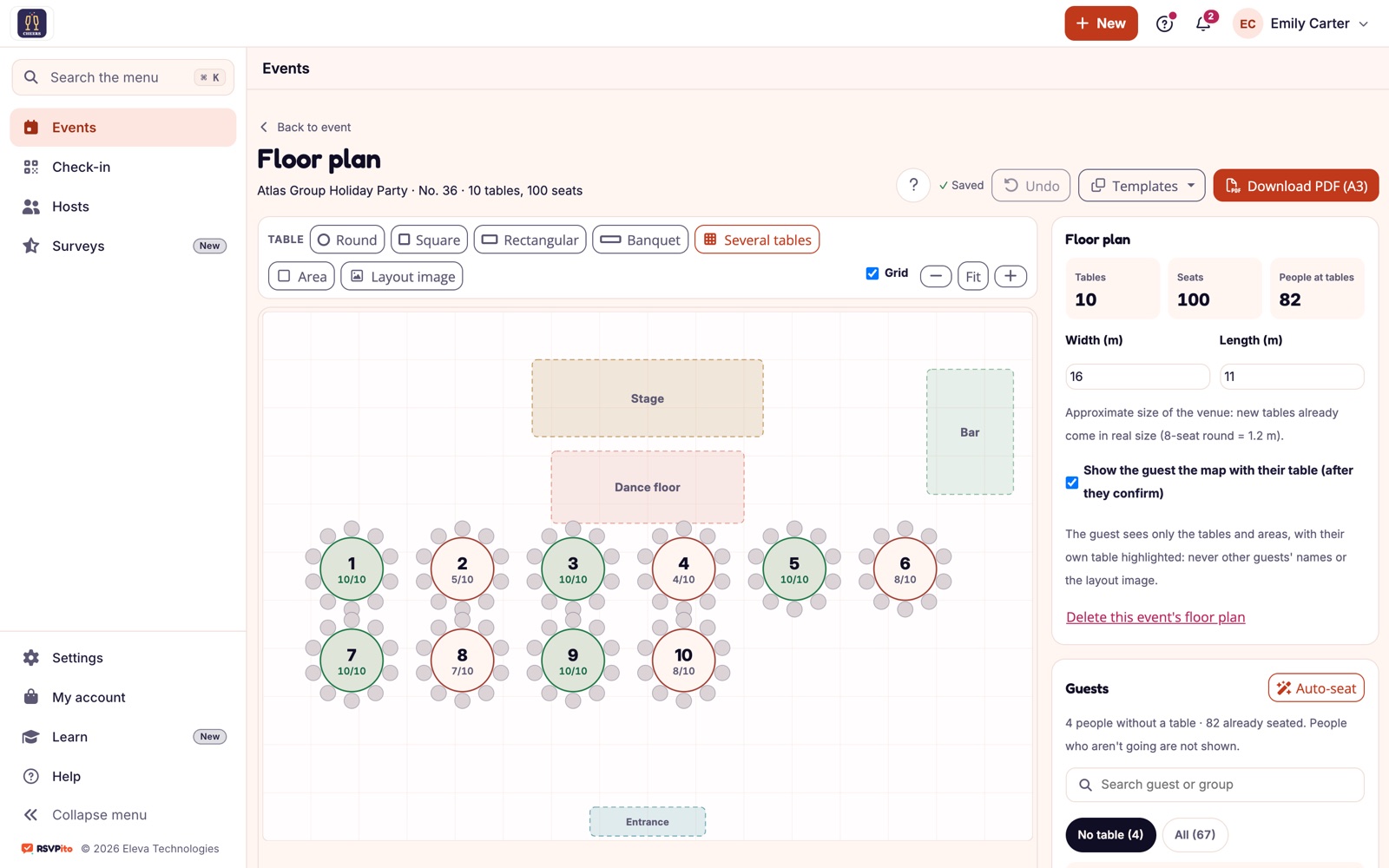
Floor Plan and Seating
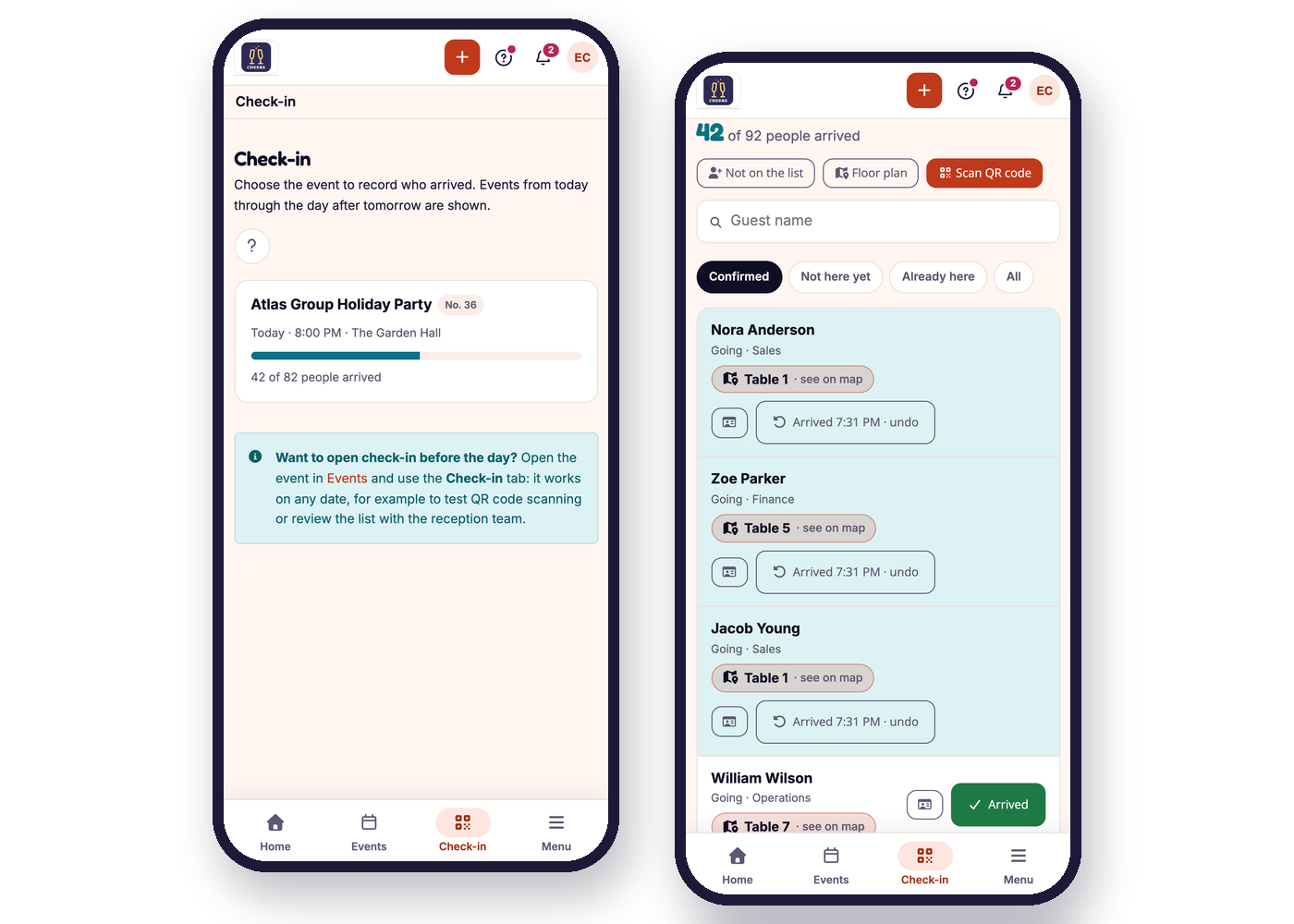
Check-in, Entry Form and Live Room View
Guest Page With Your Brand
Host Page
Alerts and Satisfaction Survey
Built to Be Fast and Easy to Use
The platform was designed so any guest can RSVP effortlessly, and any organizer can set up an event in minutes.
Easy for guests to RSVP
One tap, from any device
A clear tracking dashboard
Set Up the RSVP Your Way
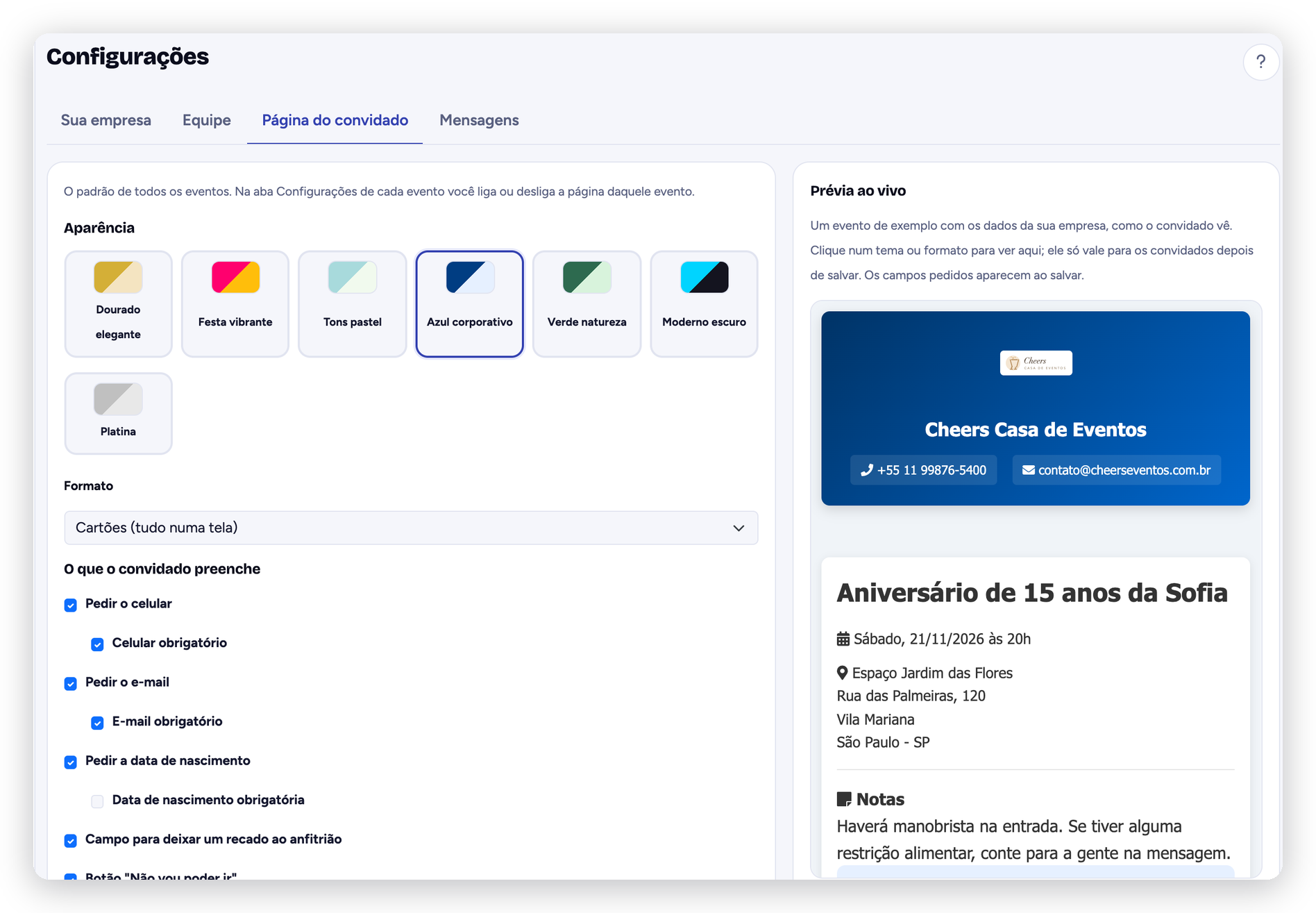
Choose exactly which details to ask guests for (phone, email, date of birth) and decide what’s required. Set, guest by guest, how many plus-ones each one can confirm, and pick from 7 visual themes and 3 layouts for the guest page, with live preview. No coding needed.
Fully customizable fields
Instant notifications to the organizer
Set up in minutes, no coding
Questions About the Features
1. Do guests need to install an app to RSVP?
No. Guests RSVP from the invitation email or on the guest page in their browser, without installing anything or creating an account.
2. Can I use email, the link and WhatsApp for the same event?
Yes. Email and the guest page link work together, and you can add WhatsApp for guests who prefer it, such as guests abroad. Guests choose how to reply.
3. Does the dashboard update automatically?
Yes, every reply shows up on the dashboard in real time, with no need to refresh the page.
4. Can I see how many guests haven't replied yet?
Yes. The dashboard automatically separates confirmed, declined and pending guests.
5. Is guest data stored securely?
Yes, with per-user access control and data protection best practices.
6. Can I limit how many plus-ones each guest brings?
Yes. You set a plus-one limit for the event and, if you want, a separate limit for each guest (one can bring 3, another just 1, another none). There's no fixed limit.
7. Can reminders go out automatically?
Yes. In the reminder schedule you turn on the steps (resend to pending guests, questions, “coming up soon”, “get ready” with the QR code and a thank-you) and choose the day, time and channel for each one. Messages go out only within the allowed hours, and a step that has already gone out is never resent, even if the date changes.
8. Are messages included?
Invitations, resends, reminders and guest questions are included in the plan, and email is always free. If you also invite on WhatsApp, only free-form general announcements there are sold separately, in packs.
9. Does check-in work without internet?
No. Reception checks people in from a phone and needs a connection at the event entrance (mobile data is enough).
10. Can I collect guests' dietary restrictions?
Yes. With questions for guests, each person (and each plus-one) answers right after confirming, and you get the summary and the spreadsheet ready for the caterer. Sensitive answers are hidden from reception and deleted 90 days after the event.