
August 11, 2026 · RSVP
How to Create an RSVP Link for Each Event
Every client event needs a place where guests say whether they are coming. For many event companies, that place is still a generic online form, an email thread or a reply card that comes back weeks late. A real RSVP link, created for each event, does the same job in one tap and turns every reply into an organized guest list.
Here is how to create an RSVP link for each event your company runs, and where to share it so guests actually use it.
Why one link per event (and not a generic form)
A generic form works for a survey, not for a guest list. It doesn’t know who is answering, so the same guest can reply twice. It doesn’t know who hasn’t answered, so nobody gets reminded. It doesn’t count plus-ones against a limit, it doesn’t feed a live headcount, and it carries the form tool’s look instead of your company’s brand. In the end, someone still copies everything into a spreadsheet for the caterer.
An RSVP link built for events opens a guest page for that specific event, connected to its guest list, its dashboard and its check-in.
Step by step: how to create an RSVP link
- Create the event with the date, the venue and the client it belongs to.
- Load the guest list, typed in or imported from a spreadsheet, with groups (“Bride’s family”, “Sales team”) and the plus-one limit for each guest.
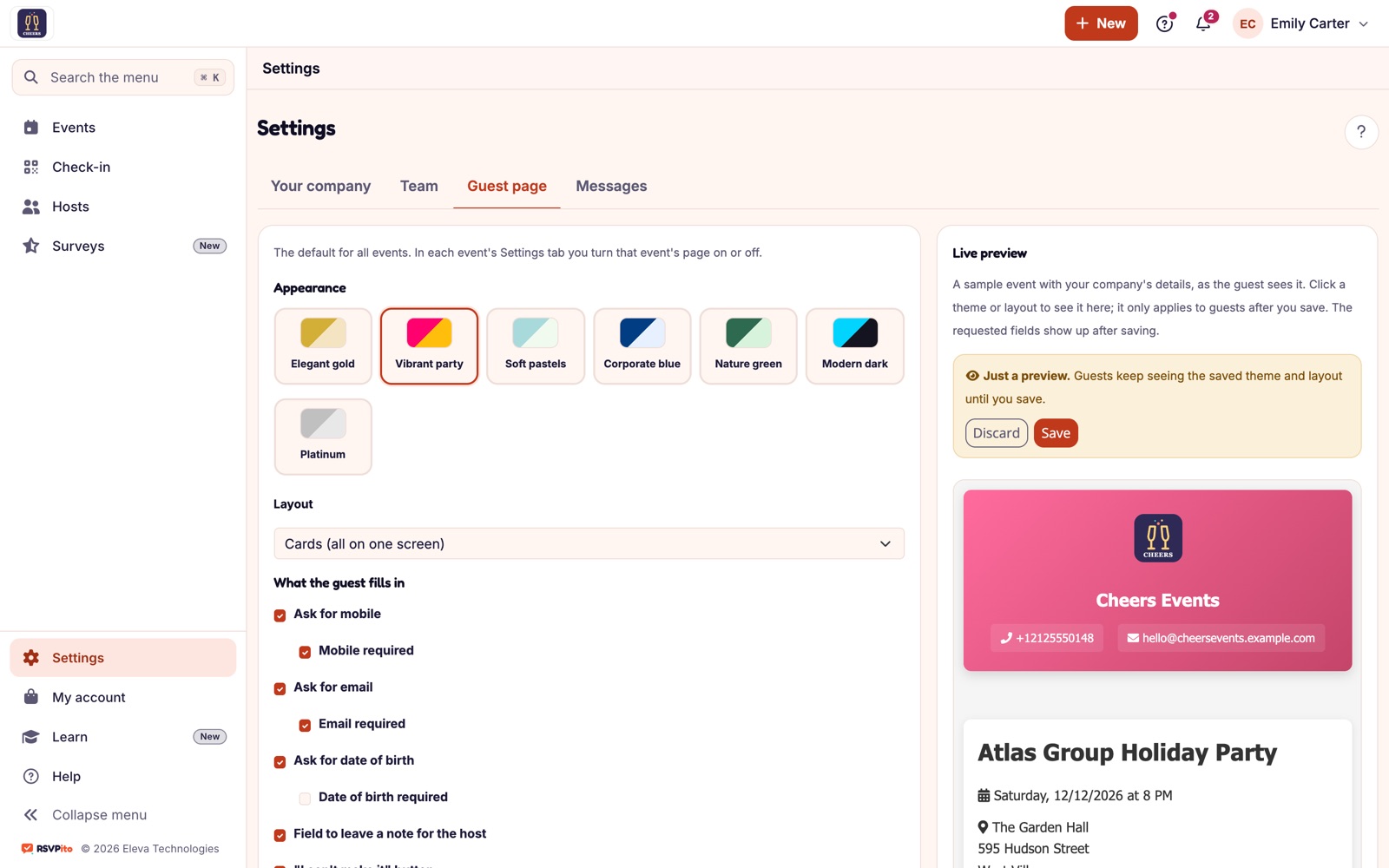
- Choose what to ask: contact fields such as phone, email or date of birth, each one optional or required, plus up to five questions for the event (dietary restrictions, transportation). Ask only what someone will use; see how to choose custom RSVP fields.
- Brand the guest page with your company’s logo, a theme, the invitation artwork and notes like dress code and parking, and check the result in the live preview.
- Copy the link and test it on your phone before anyone else sees it: open it, reply, and check that the answer shows up on the dashboard.
- Share it (see the next section) and follow the replies in real time.
- Close the list and export it for the caterer and the front desk, with QR code check-in closing the loop on the day.
Where to share the RSVP link
The same link works anywhere a guest can tap or scan it, and every reply lands on the same dashboard:
- The invitation email. RSVPito sends the invitation by email with one-tap Going, Not going and Maybe buttons that lead to the guest page. Because each guest has their own invitation, the automatic reminders know exactly who is still pending.
- The couple’s wedding website or the client’s event page. Add the link as the “RSVP” button, so guests don’t have to look for it.
- A printed QR code. On the paper invitation, the save-the-date or a table card at the office, the QR code opens the same RSVP page.
- The client’s own messages. Your client can paste the link into their personal messages or group chats; the replies still go to the official list, not to the chat.
- Corporate channels. For corporate events, the link fits in the intranet, an internal newsletter or the description of a calendar invite.
Guests abroad, or guests who prefer it, can also receive the invitation on WhatsApp as an extra channel.
Shared link or personal invitation?
Both have a place. Guests who are already on the list are recognized by their email or phone number when they open the link, and they only need to confirm. Still, personal invitations by email are what make the follow-up work: the reminder schedule can only chase pending guests it can reach. A good rule is to load the list first, send the personal invitations, and use the shared link on the website and the printed QR code as extra doors to the same page.
The RSVP link for each type of company
- Wedding and event planners: one link per wedding, with a real-time dashboard instead of a spreadsheet updated by hand until the day before. Learn more in our solutions for planners.
- Venues and caterers: every event gets a guest page with your brand, and the confirmed count feeds the kitchen. Learn more in our solutions for venues and caterers.
- Corporate event agencies: invitations by email at scale, with an exportable list ready for registration and check-in. Learn more in our solutions for corporate events.
To go deeper, see what guests see on a branded RSVP page, digital invitations with your company’s brand and QR code check-in.
Talk to us and see how to create the RSVP link for your next client event.