
For Wedding & Event Planners
RSVP Management Built for the Pace of Event Planning
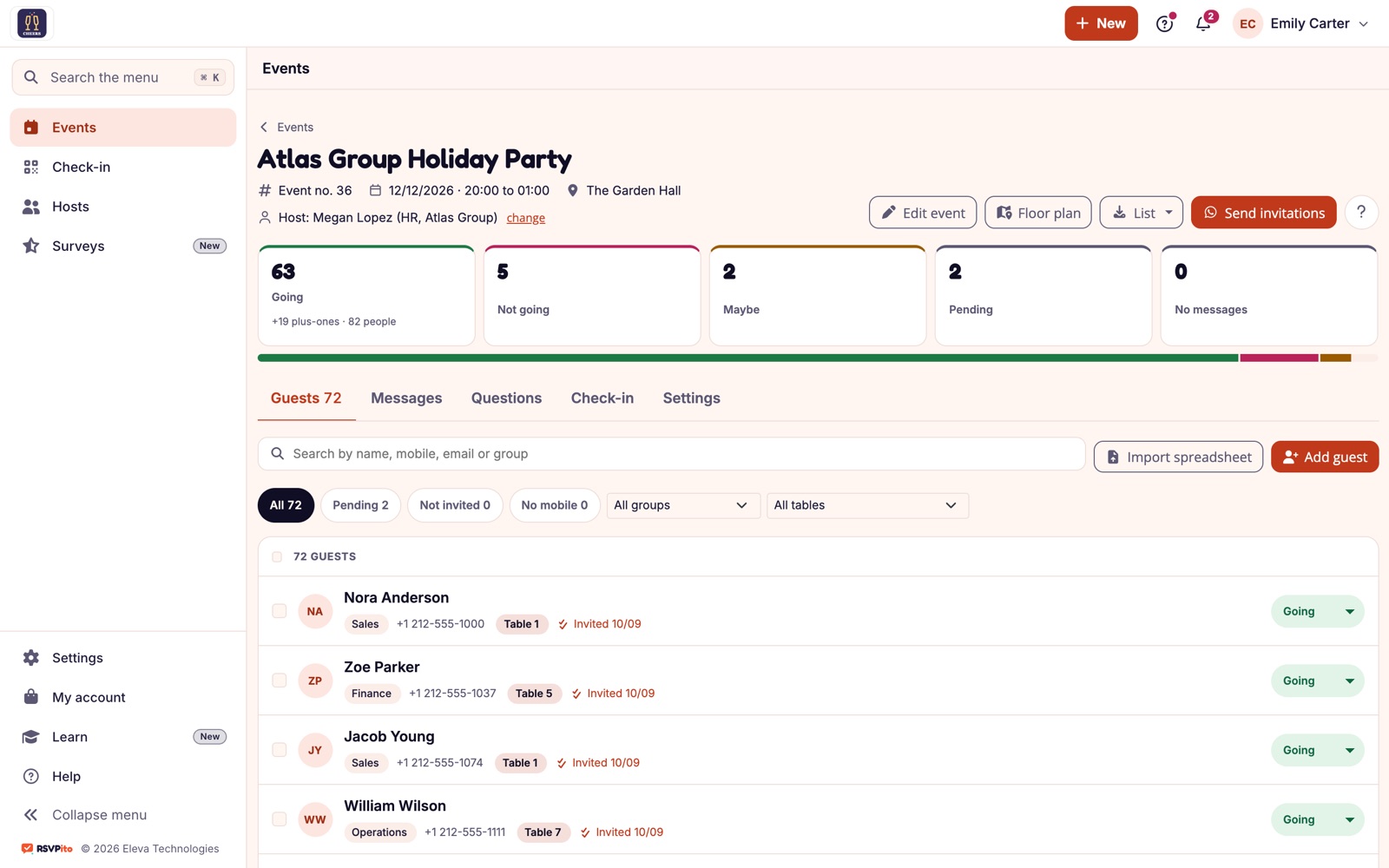
Event and wedding planners deal with guest lists that change until the last minute. RSVPito gives you real-time control over who’s coming, without spreadsheets or phone calls.

Outdated Lists Get in the Way of Your Work
In an event planner’s day-to-day, every last-minute change costs time. Here are the two most common problems.
Last-Minute RSVPs
Spreadsheet Rework
All of This Is Already Included
Email Invitation With One-Tap RSVP
Live Guest Count
Manage Multiple Events
Team With Access Profiles
Guest List Import and Export
Data Protection
Automatic Reminders
Floor Plan and Seating
Check-in With No Line
Guest Page With Your Brand
Host Page
Satisfaction Survey
Built to Be Fast and Easy to Use
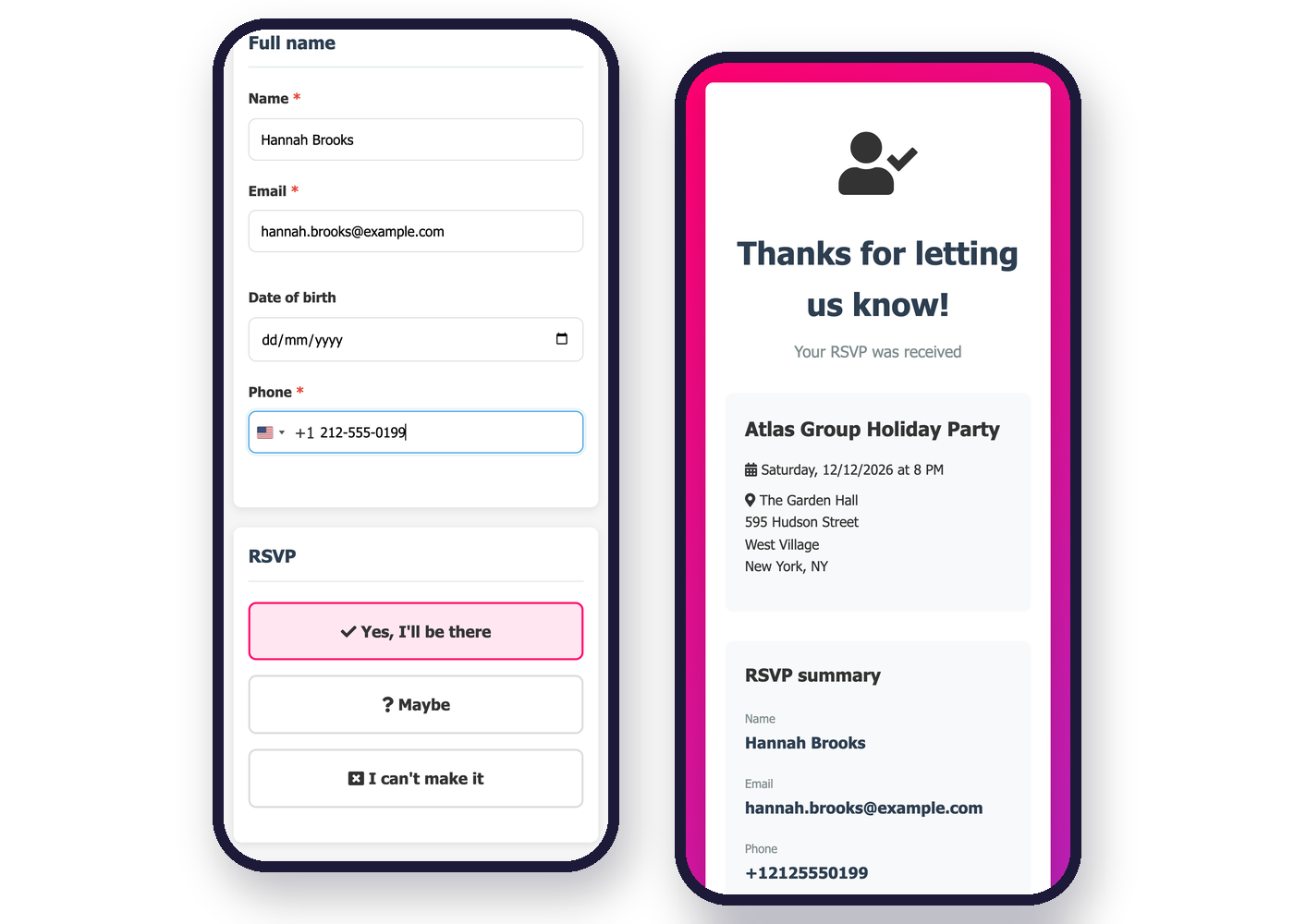
The platform was designed so any guest can RSVP effortlessly, and any organizer can set up an event in minutes.
Easy for guests to RSVP
One tap, from any device
A clear tracking dashboard
Questions From Event Planners
1. Does RSVPito replace the guest list I already use?
Yes, you can bring your whole guest list and all the RSVPs into the platform.
2. Can I send invitations for events with hundreds of guests?
Yes. The invitation goes out by email to everyone at once, and the reminder schedule resends to pending guests on its own. Invitations, resends and reminders are included in the plan.
3. Can I follow more than one wedding or event at the same time?
Yes, each event has its own dashboard and report.
4. Can I share the updated list with the caterer and vendors?
Yes, just export the list of confirmed guests at any time.
5. Can my planning team access the dashboard too?
Yes, you can add users from your team, each with an Administration, Operations or Reception profile.
6. Can I limit how many plus-ones each guest brings?
Yes. You set a plus-one limit for the event and, if you want, a separate limit for each guest (one can bring 3, another just 1, another none). There's no fixed limit.
7. Can the couple follow the RSVPs without calling me?
Yes. The event host gets their own page, accessed with a code, to see who has confirmed, add guests and upload files. Messages, the floor plan and reception stay with the planner.